How to Purchase Products Through KongfuMall ?
There are two ways to purchase products on KongfuMall:
- Direct Purchase on the "Shop"
Simply browse the products on the "Shop", select the items, and proceed to checkout to complete your purchase. - Purchase Through the "Buy"
For products listed on the "Buy", you'll need to copy and paste the product link to complete your purchase.
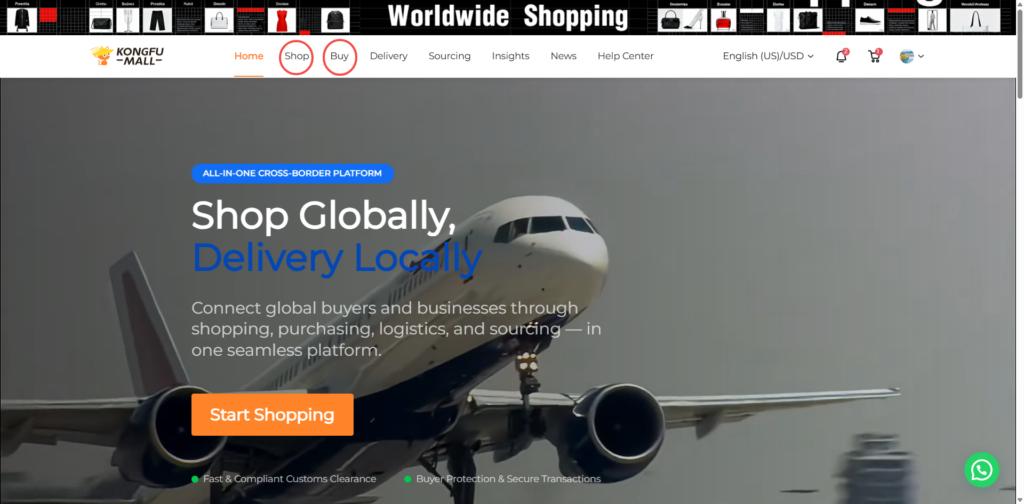
Step 1: Select Products
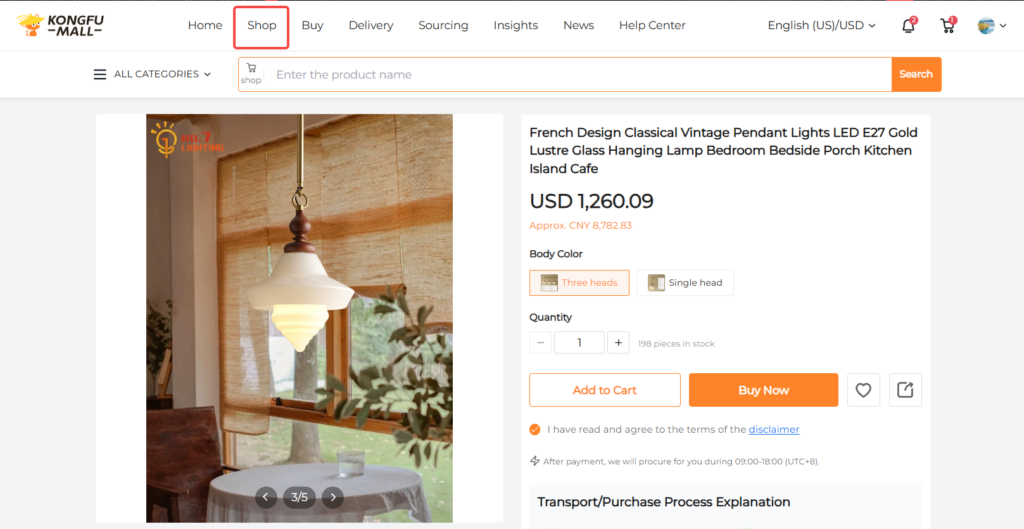
Method 1: Buy Directly on the "Shop"
Browse the product categories or search for the product name on the "Shop" page. Add the items to your cart and complete the checkout process to make your purchase.
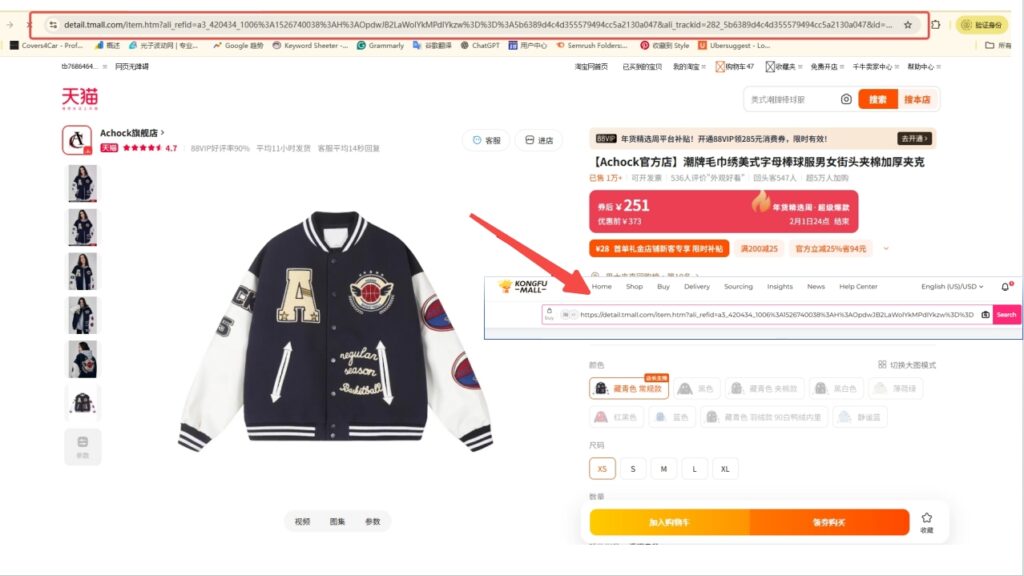
Method 2: Purchase Through the "Buy"
- Find the product you wish to purchase on Taobao/Tmall/JD.com. Copy the link and paste the product URL into the search box.
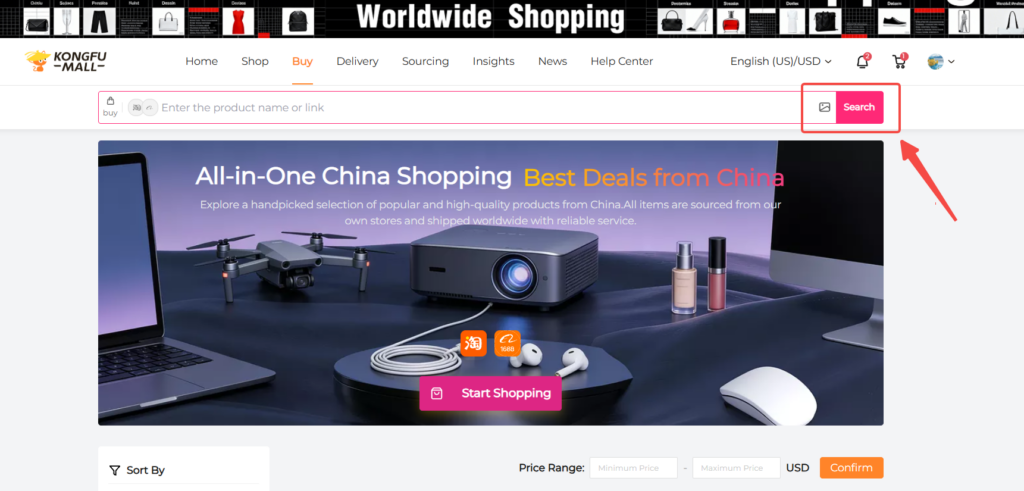
- Enter the product name in the KongfuMall search box and select from recommended Taobao, Tmall, and JD.com products.
Step 2: Purchase Products
- KongfuMall supports information retrieval for most Taobao/Tmall/JD.com products. You can directly select product color, size, and quantity, then click "Add to Cart" or "Buy Now."
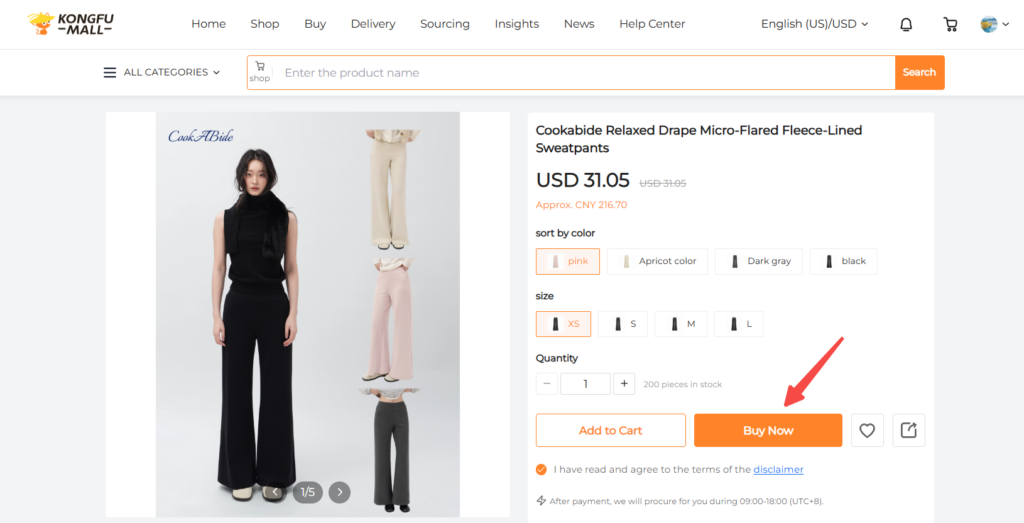
- When purchasing items from the above platforms, if you encounter a "Fill in Proxy Purchase Form" page, you must enter your order information manually and then click "Place Order."
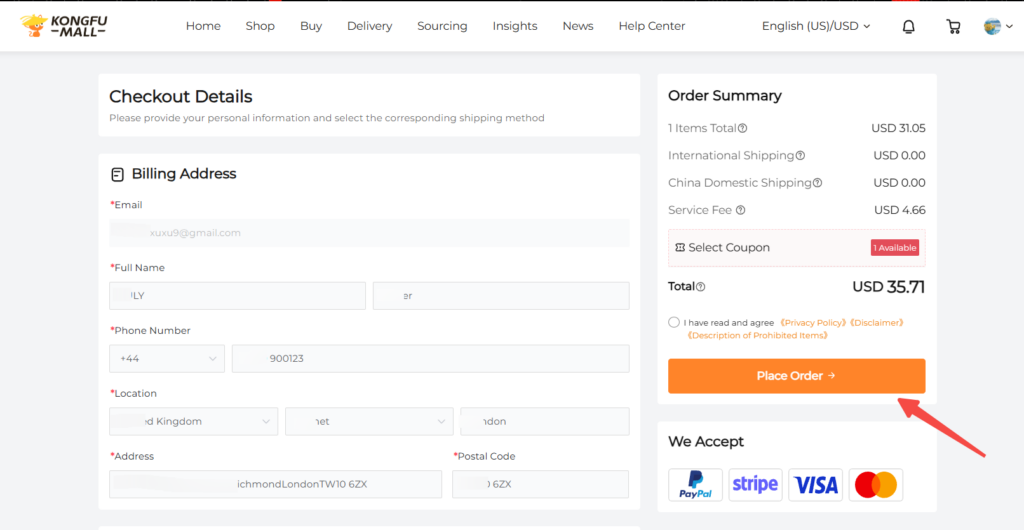
Step 3: Product Payment
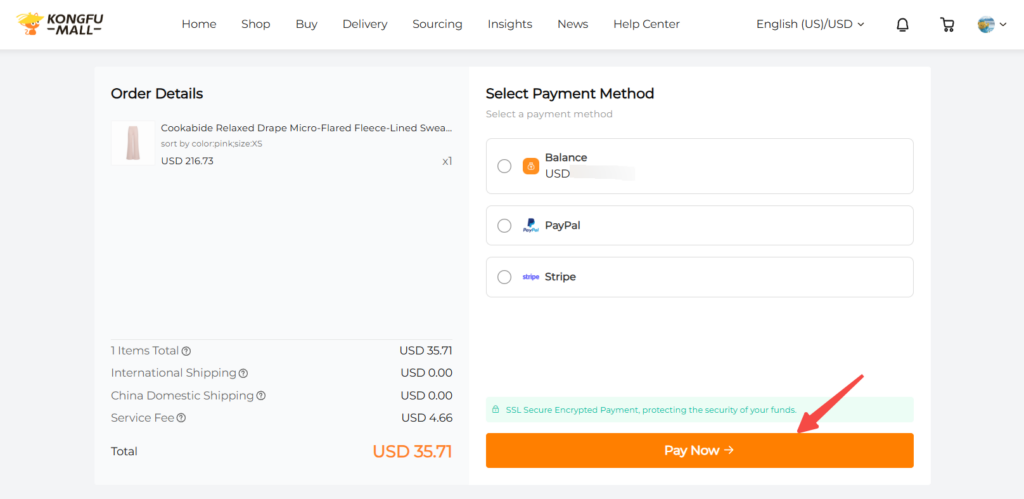
Submit your purchase order, select a payment method, and pay for the product price plus shipping to mainland China.
Note:
- For proxy purchase orders, an estimated international fee will appear before payment. Rest assured, we will provide the final price based on actual weight and shipping method before dispatch (note: this step is not required for forwarding or DIY orders).
- Supports multi-currency payments in foreign currencies and RMB.
- Payment methods include: PayPal, Stripe, and account balance (PayPal also supports international credit cards if linked to your account). Stripe also supports Apple Pay, Google Pay, Alipay, and WeChat Pay, but these require activation within Stripe first).
- Enter your shipping country and any purchase notes. If you require value-added services, select the corresponding options. Review your order details carefully before submitting.
Step 4: KongfuMall Shopping Service
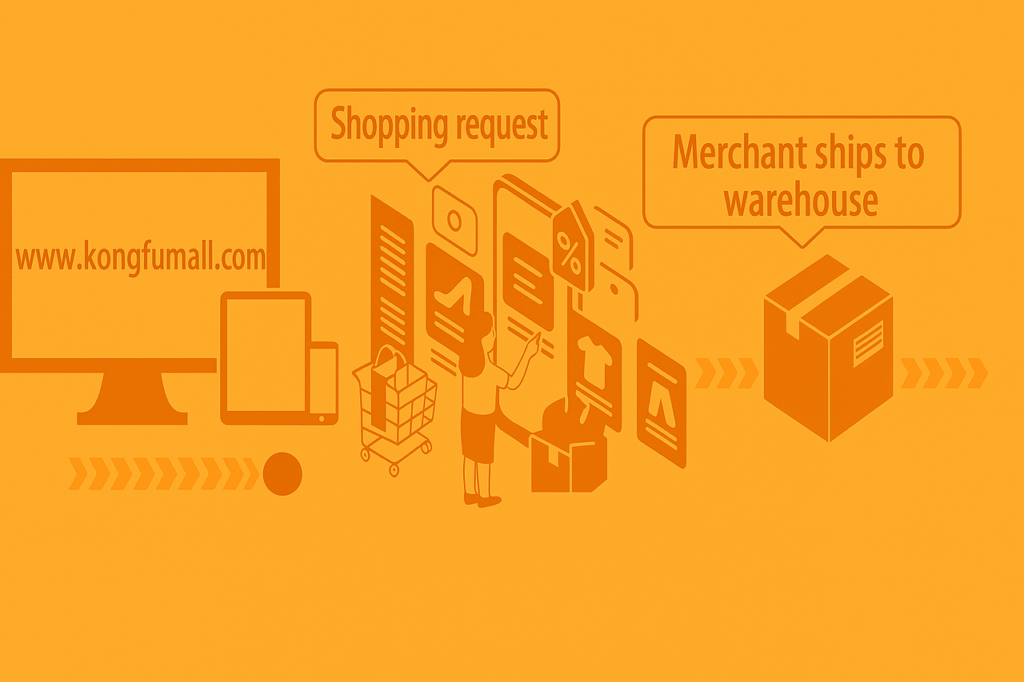
Procurement will contact the seller on your behalf to place an order for the goods.
Note:
- During the order procurement process, you may contact the procurement team via "Order Inquiry" to provide additional details or requirements. – If necessary, the procurement team will reach out to you via internal messages or email to complete or confirm the information.
Step 5: KongfuMall Inspection and Warehousing
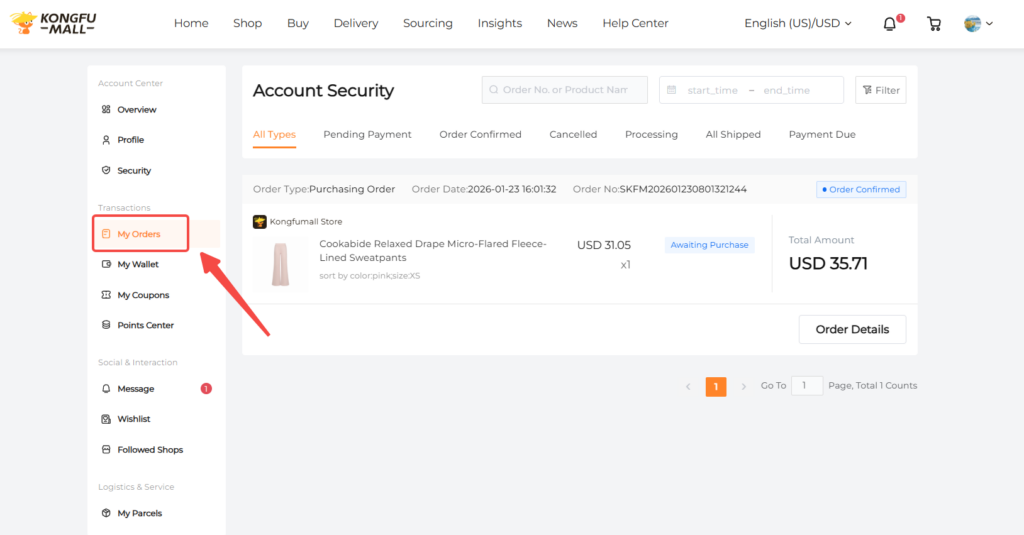
Receive and inspect goods, weigh and store them. After storage, the items will appear under "My Orders".
Note:
- Upon receiving and storing goods, KongfuMall's designated warehouse conducts rigorous professional inspections and takes actual product photos for your review. Any issues discovered are promptly reported to you with assistance provided for resolution.
- Next, you may submit stored items for overseas shipping (Steps 6–9) or purchase additional items to combine shipments (repeat Steps 1–5, then proceed to Steps 6–9).
- KongfuMall's designated warehouse offers 30 days of free storage.
- Consolidating multiple items for combined overseas shipping can save on international shipping costs.
How to Submit a Package on KongfuMall
Step 6: Submit Your Package
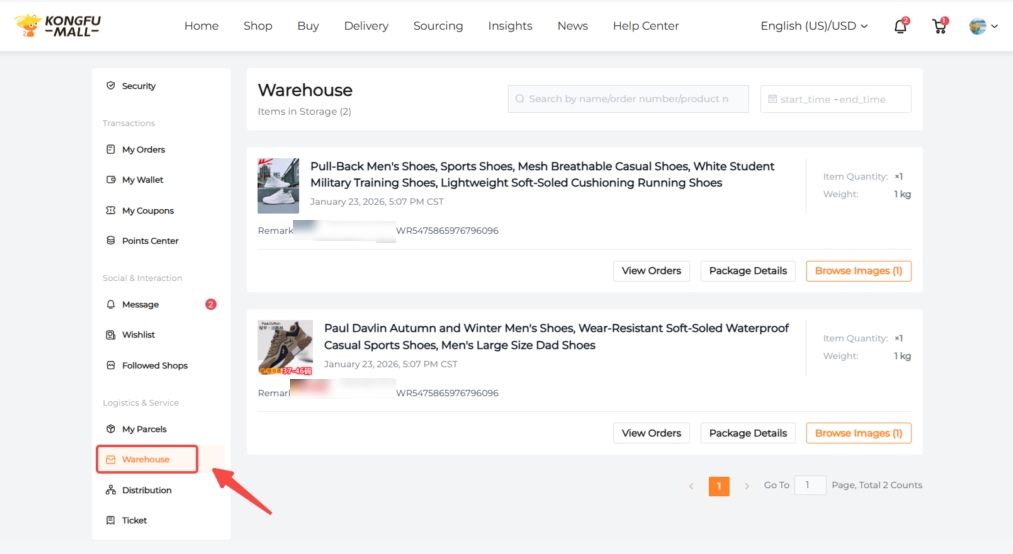
In the "Warehouse" section, you can check the arrival status of your products, which is divided into the following two situations:
- If you have purchased a single item, it will be packaged and displayed in the warehouse as soon as it arrives.
- If you have purchased two or more items, but only some of the items have arrived at the warehouse, only the items that have arrived will be shown in the warehouse. The remaining items will not be displayed.
In summary, the product status shown in the warehouse depends on the actual arrival of the items.
Note:
- Some items are subject to shipping restrictions and may not be available via all logistics routes. We've filtered out the available delivery options for you to choose from.
- We offer services such as unpackaging, reinforcement, and insurance. These will be performed according to your requirements if needed.
- If you have any questions, please contact our customer service promptly.
Step 7: Pay International Shipping Fees
International shipping fees vary depending on your purchase method. Here are the two options:
Direct Purchase on the Shop
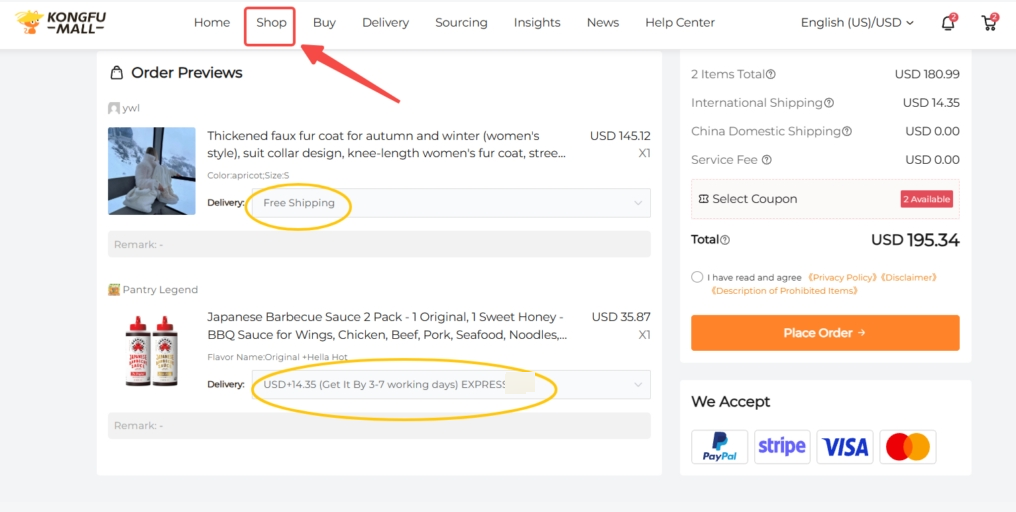
When you order from the Shop:
- Shipping costs are shown and charged during checkout.
- Some products offer free international shipping.
- Certain products have country-specific shipping restrictions. Please check before placing your order.
This option provides clear shipping information and completes the checkout in one step.
Purchase on the Buy
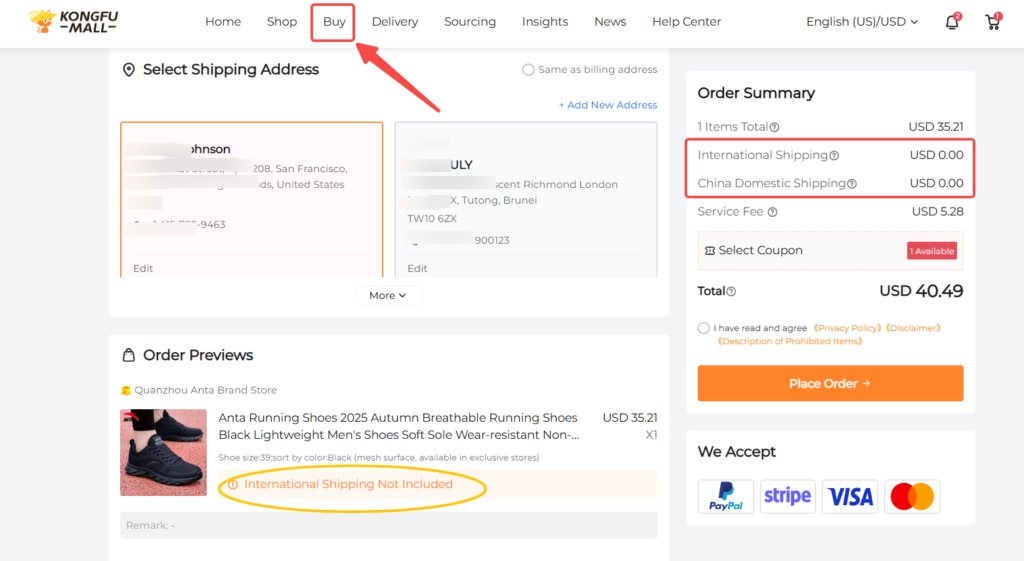
When you order from the Buy:
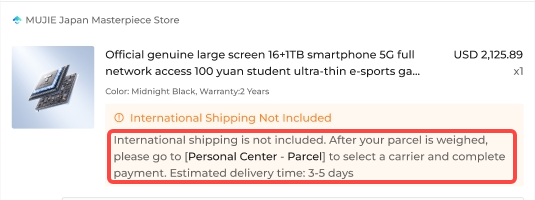
- The initial payment covers only the product price.
- Shipping fees will not be charged upfront.
- Once the product reaches our warehouse, we will calculate the shipping cost based on its weight and destination.
- You'll receive an email with the shipping cost within 3-5 days.
- After receiving the email, you can pay for the shipping and we will ship the product.
The reason for delayed shipping charges is that these products are agent-purchased items. We can only calculate the shipping cost once the product arrives at the warehouse and the weight is confirmed.
Note:Shipping fees will be emailed within 3-5 days after your order arrives at the warehouse. Please check your email.
Step 8: KongfuMall ships
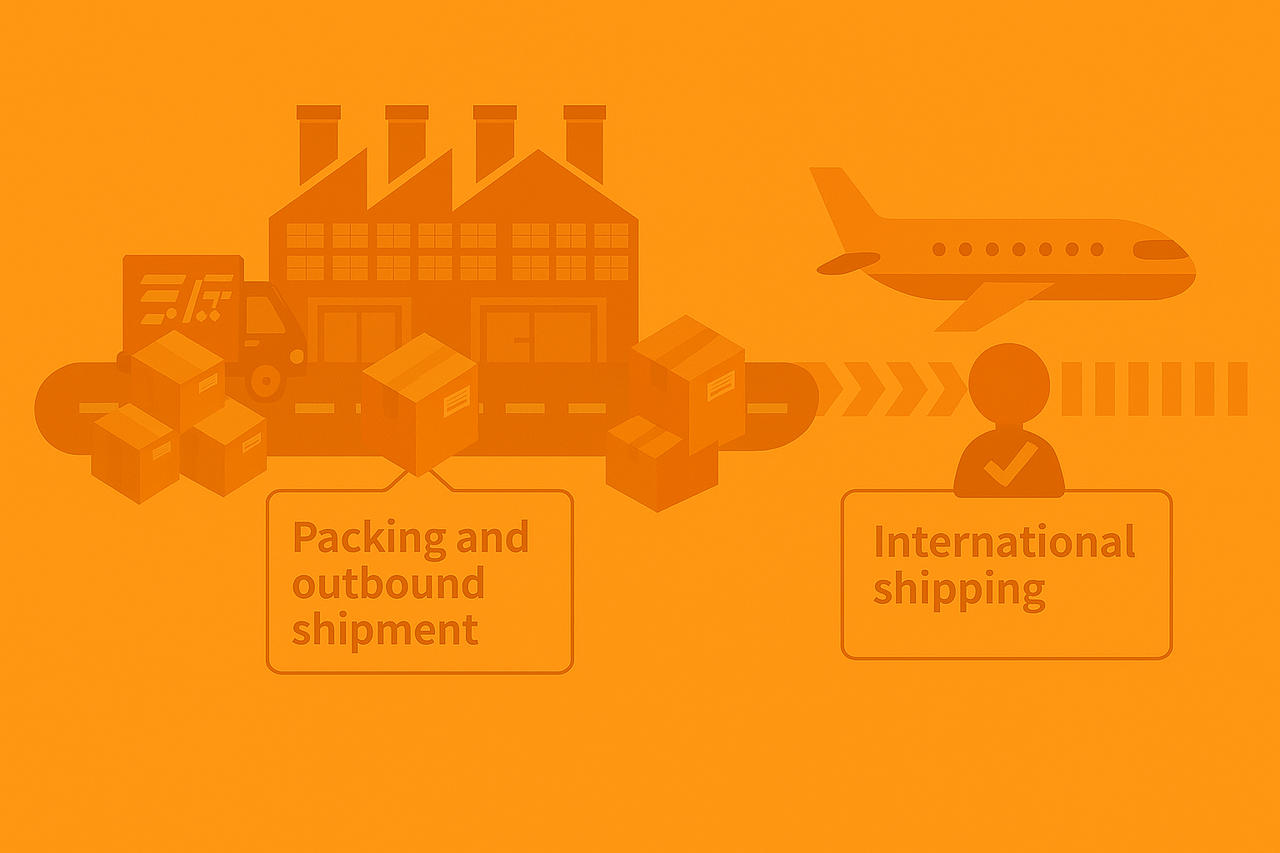
Select the corresponding shipping method or our recommended option, choose the international shipping address, then pay the shipping fee to complete the shipment.
Final Delivery Confirmation
We will synchronize the package delivery status based on logistics information to facilitate tracking. You can view this in your personal center under Orders.
End-to-End Sourcing Service
Step 1: Fill in the product information
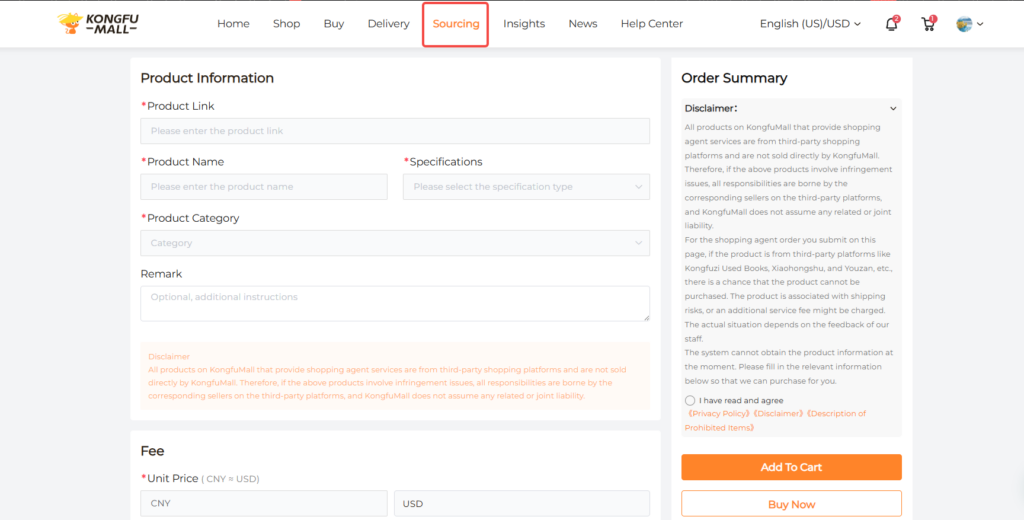
Provide the product link address, along with the product name and specifications. If the product has no options, enter a single specification. If it has multiple attributes (e.g., color, size), enter multiple specifications. For multiple specifications, list the required attributes separated by commas or slashes. Also include the product category and any notes (optional).
Step 2: Fill in the product details
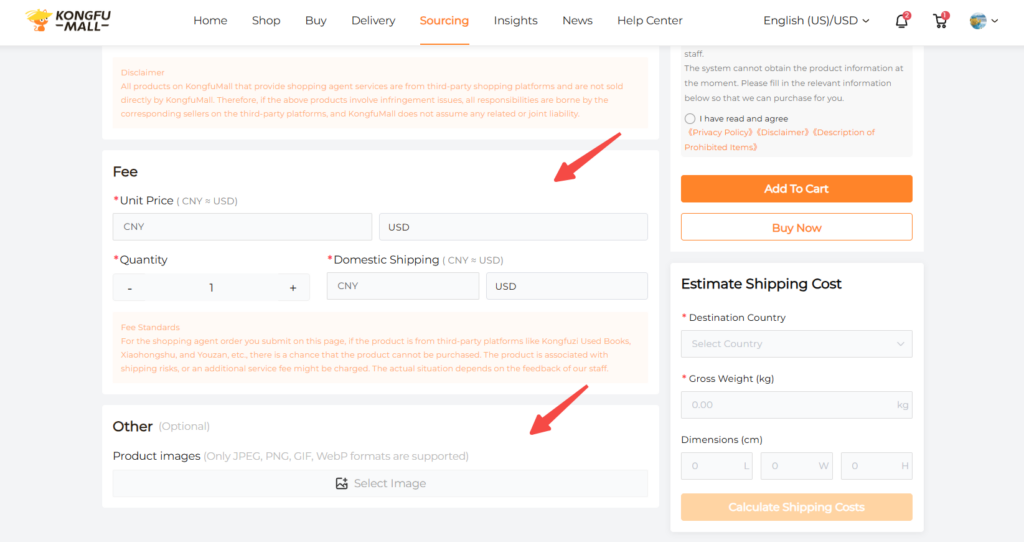
- Enter the product price, quantity, and shipping cost (enter 0 for free shipping; for paid shipping, enter the actual amount).
- Images are optional; uploading them will expedite order processing.
- Then agree to our terms, add to cart, or proceed to checkout (follow steps 3–9 for proxy purchasing).
Delivery Order
Step 1: Fill in Package Information
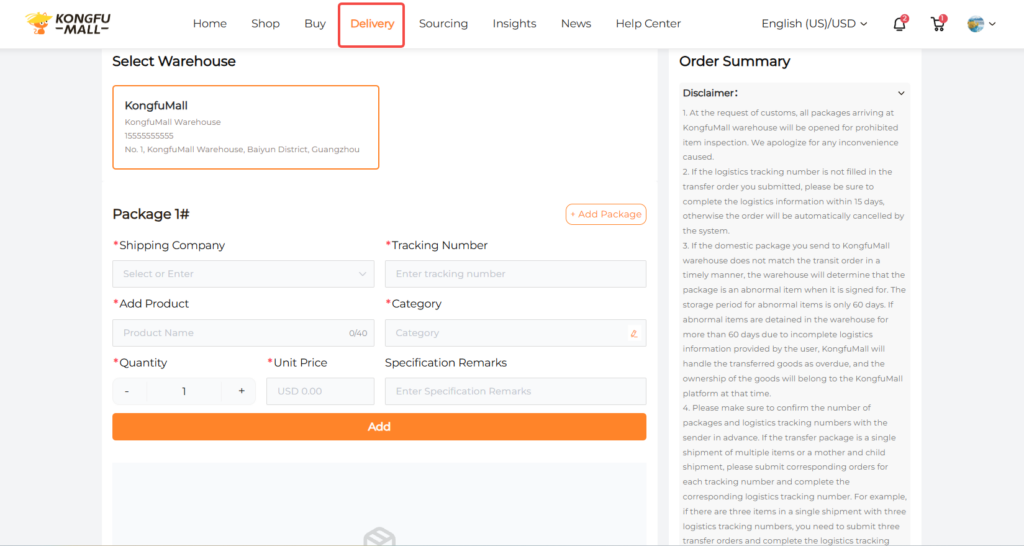
Please provide the shipping carrier, tracking number, product name or product link, category of goods, quantity, price, and product attributes to facilitate our review.
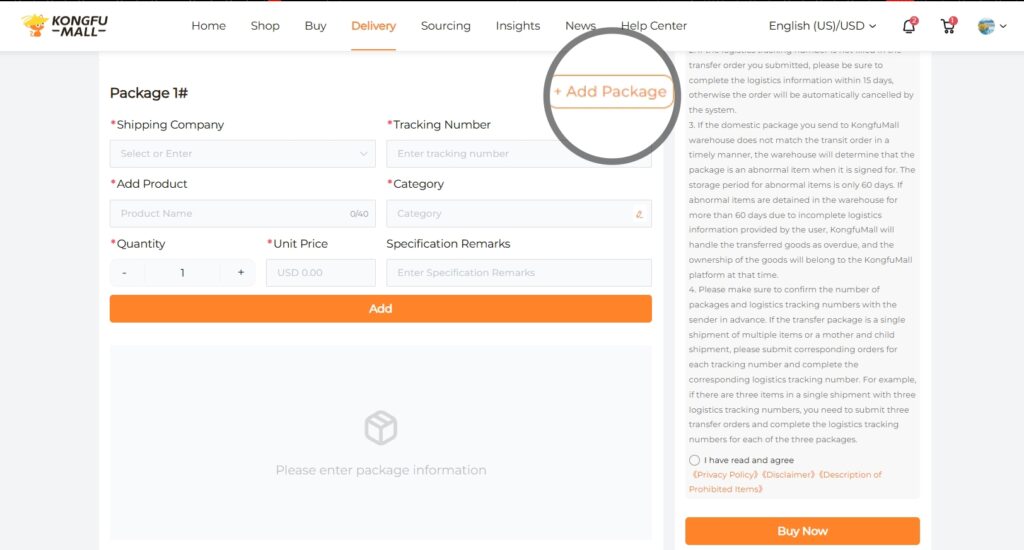
You can click "Add Package" to add more packages.
Step 2: Wait for Inspection and Warehouse Receipt
After agreeing to the policy and adding the item to your cart, wait for the product to be shipped to the warehouse for inspection.
Once the inspection and warehouse receipt are complete, select your preferred shipping method and international address. We will send you an invoice for shipping fees. Ship immediately.